Dashboards Query Language (DQL) Reference 
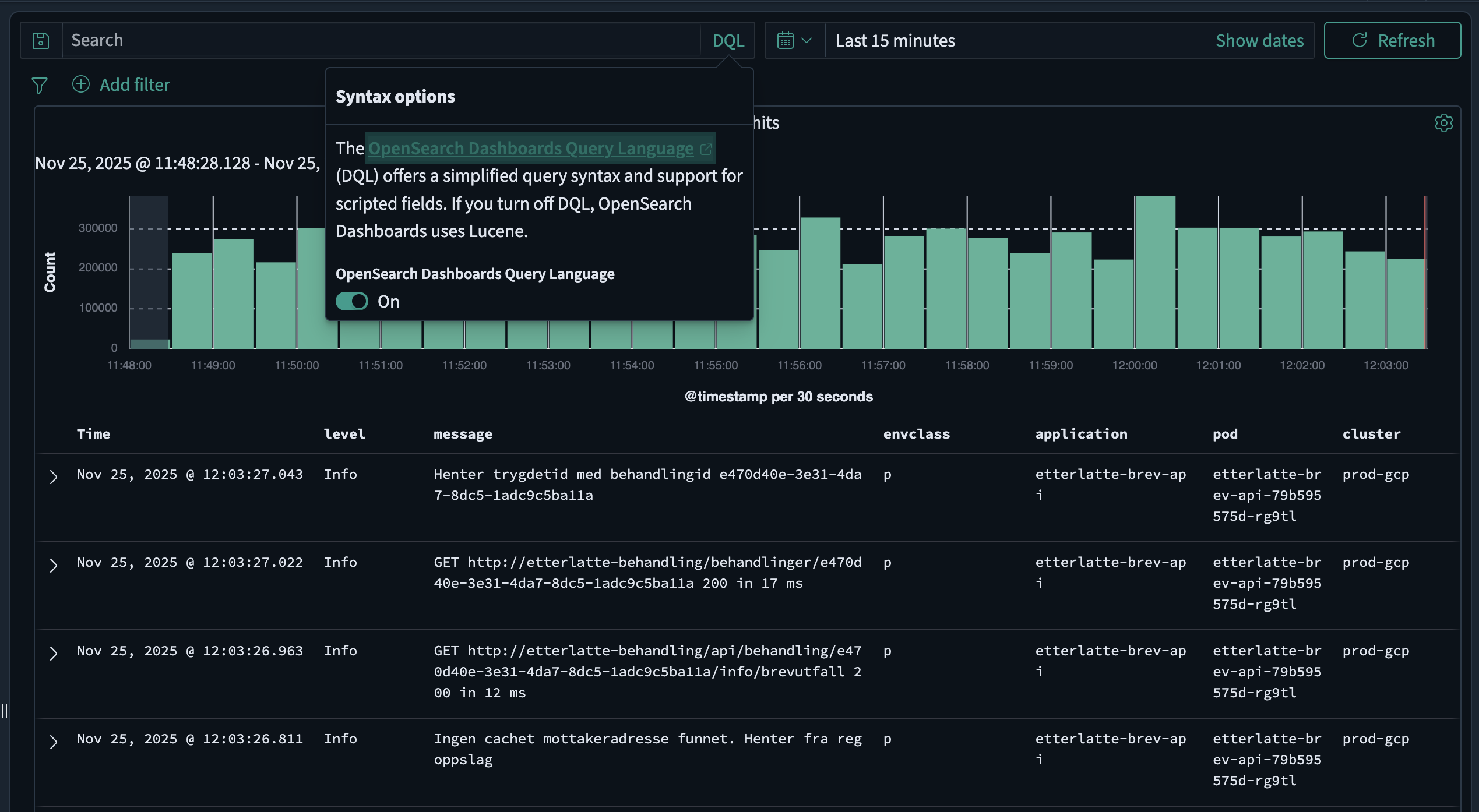
The Dashboards Query Language (DQL) is a simple text-based query language for filtering data in nav-logs (OpenSearch Dashboards). DQL is the default query language in OpenSearch Dashboards and is simpler to use than Lucene query syntax.
Basic syntax 
Search for terms 
By default, DQL searches all fields for the specified terms. Terms are combined with or by default:
error exceptionThis searches for documents containing error or exception in any field.
Exact phrase search 
To search for an exact phrase, use quotation marks:
"database connection failed"Field-specific search 
To search in a specific field, use the field name followed by a colon:
level: ERRORmessage: "timeout"Common fields 
The following fields are common to all logs in nav-logs and can be used in your DQL queries:
-
@timestamp- The timestamp of the log event -
application- The application the log event originated from -
cluster- The cluster the log event originated from -
container- The container the log event originated from -
host- The host the log event originated from -
level- The log level of the log event -
message- The log message itself -
namespace- The namespace the log event originated from -
pod- The pod the log event originated from -
team- The team who owns the application
Operators 
Boolean operators 
DQL supports and, or, and not operators (case-insensitive):
level: ERROR and application: "my-app"level: ERROR or level: WARNlevel: ERROR and not message: "expected"Precedence order: not > and > or. Use parentheses to control evaluation order:
(level: ERROR or level: WARN) and application: "my-app"Comparison operators 
DQL supports numeric and date comparisons using >, <, >=, and <=:
response_time > 1000date >= "2024-01-01" and date < "2024-02-01"Field existence 
To check if a field exists, use the * wildcard:
error_code: *Negation 
To search for documents where a field does not contain a specific value:
not level: DEBUGNote: This returns documents where either the field doesn't contain the value OR the field doesn't exist. To filter only documents that have the field:
level: * and not level: DEBUGWildcards 
DQL supports the * wildcard for matching multiple characters. Wildcards work in both field names and search terms:
In field names 
title*: errorMatches fields like title, title.keyword, etc.
In search terms 
message: error*Matches error, errors, errored, etc.
app*name: "my-app"Matches fields like app_name, application_name, etc.
Note
Wildcards are not supported within phrase searches (quoted strings).
Grouping 
Use parentheses to group multiple terms when searching in a field:
level: (ERROR or WARN)This is equivalent to:
level: ERROR or level: WARNNested fields 
For nested object fields, use the dot notation:
kubernetes.pod.name: "my-pod"For nested arrays, use curly braces:
tags: {name: production}Multiple conditions in nested fields:
tags: {name: production and value: true}Reserved characters 
The following characters are reserved in DQL: \, (, ), :, <, >, ", *
To search for these characters, escape them with a backslash:
format: 2\*3path: "C\:\\Users\\file.txt"Example queries 
| Query | Description |
|---|---|
error | Documents containing "error" in any field |
level: ERROR | Documents where level is ERROR |
"connection timeout" | Documents containing the exact phrase |
application: "my-app" and level: ERROR | ERROR logs from my-app |
level: ERROR or level: WARN | ERROR or WARN level logs |
level: (ERROR or WARN) | Same as above |
not level: DEBUG | All logs except DEBUG level |
message: error* | Messages starting with "error" |
response_time > 1000 | Slow responses |
@timestamp >= "2024-01-01" | Logs from 2024 onwards |
level: ERROR and not message: "expected" | Unexpected errors |
namespace: "my-team" and level: ERROR | Team's error logs |
error_code: * | Documents with error_code field |
level: * and not level: DEBUG | All logs with level field, excluding DEBUG |
Further reading 
For more detailed information about DQL, see the official OpenSearch DQL documentation.